self-service check in kiosk

Other Videos
December 26, 2025
Category Connection: Payment Kiosk
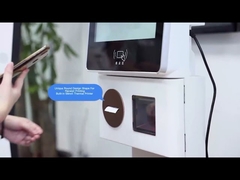
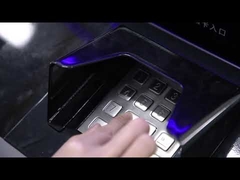
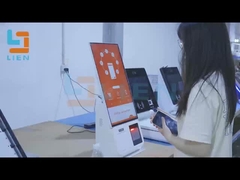
Brief: Observe the step-by-step operation and see practical examples of usage in this demonstration of the 10-point Touch Payment Kiosk. This video showcases how the self-service machine streamlines transactions, allowing customers to make secure payments for goods and services across retail, hospitality, and healthcare settings. You'll learn how the intuitive touchscreen interface, multiple payment methods, and receipt printing work together to enhance efficiency and customer experience.
Related Product Features:
  • Features a user-friendly 10-point touchscreen display for easy navigation and payment input.
  • Supports multiple payment methods including cash, credit/debit cards, and contactless mobile payments.
  • Includes a built-in receipt printer for generating transaction records and proof of payment.
  • Equipped with advanced security features like encryption and authentication protocols to protect data.
  • Constructed with a durable, free-standing steel cabinet that is moisture-proof and anti-rust.
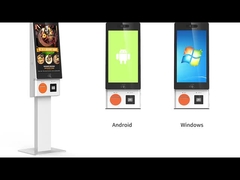
  • Operates on a standard Windows system and includes essential accessories like USB ports and speakers.
  • Designed for versatile use in retail stores, restaurants, healthcare facilities, and transportation hubs.
  • Enhances operational efficiency by reducing wait times and automating payment processing.
FAQs:
  • How does the Payment Kiosk work?
    The Payment Kiosk provides a self-service interface where customers select their payment method, enter payment details such as card information or mobile credentials, and complete the transaction securely. It then processes the payment and generates a receipt for the customer.
  • What payment methods are accepted by the Payment Kiosk?
    The kiosk accepts a wide range of payment methods including cash, credit/debit cards, mobile payments like NFC and QR codes, and contactless options such as Apple Pay and Google Pay, offering flexibility to suit customer preferences.
  • Are Payment Kiosks secure for transactions?
    Yes, Payment Kiosks prioritize security by incorporating encryption protocols, authentication mechanisms, and compliance with industry standards to safeguard transactions and protect customer data from fraud or breaches.
  • Can the Payment Kiosk provide receipts?
    Yes, the kiosk includes a built-in receipt printer that generates printed receipts for customers, serving as proof of payment and providing transaction details for record-keeping.