INDOOR & OUTDOOR SELF SERVICE KIOSK SOLUTION PROVIDER

Other Videos
January 07, 2026
Category Connection: Check In Kiosk
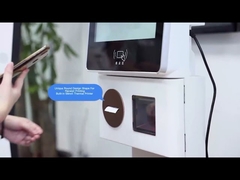
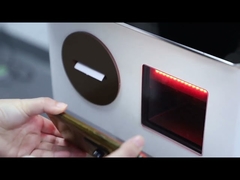
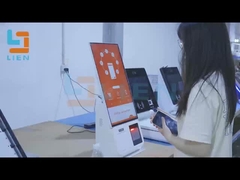
Brief: Discover how this self-service kiosk solution streamlines hotel operations in this informative demonstration. You'll see the 21.5-inch check-in kiosk in action, learn about its billnote validation capabilities, and explore how customizable branding creates a seamless guest experience.
Related Product Features:
  • Features a 21.5-inch screen size with clear and responsive touchscreen display for easy guest navigation.
  • Includes robust billnote validation and acceptance capability for secure cash payment processing.
  • Supports multiple operating systems including Windows, Android, and Linux for flexible integration.
  • Runs on Android 10.1 support system service ensuring smooth, secure, and user-friendly interface.
  • Offers customizable color and logo options to match hotel branding requirements.
  • Provides multiple touch screen options including IR, SAW, or capacitive technology.
  • Functions as both a hotel check-in machine and self check-out kiosk for comprehensive guest processing.
  • Includes ID passport scanner kiosk feature for expedited identity verification and enhanced security.
FAQs:
  • What operating systems are compatible with the Check In Kiosk?
    The Check In Kiosk supports multiple operating systems including Windows, Android, and Linux, providing great flexibility for integration into existing hotel management systems.
  • Can the kiosk handle cash payments?
    Yes, the kiosk features robust billnote validation and acceptance capability, allowing it to securely validate and accept cash payments for guest convenience.
  • Is customization available for the kiosk's appearance?
    Absolutely, the kiosk offers customizable color and logo options upon customer request, ensuring seamless integration with your hotel's brand identity.
  • What technical support is provided with the kiosk?
    We provide comprehensive online and video technical support services including troubleshooting, software updates, installation guidance, and hardware maintenance to ensure optimal performance.